
Swim Software: The Five Types and How to Choose
Swim software covers five jobs: team admin, meets, swim schools, coaching and video analysis. What each does, which your club needs, and what it costs.
Also in Svenska
What Is Swim Software?
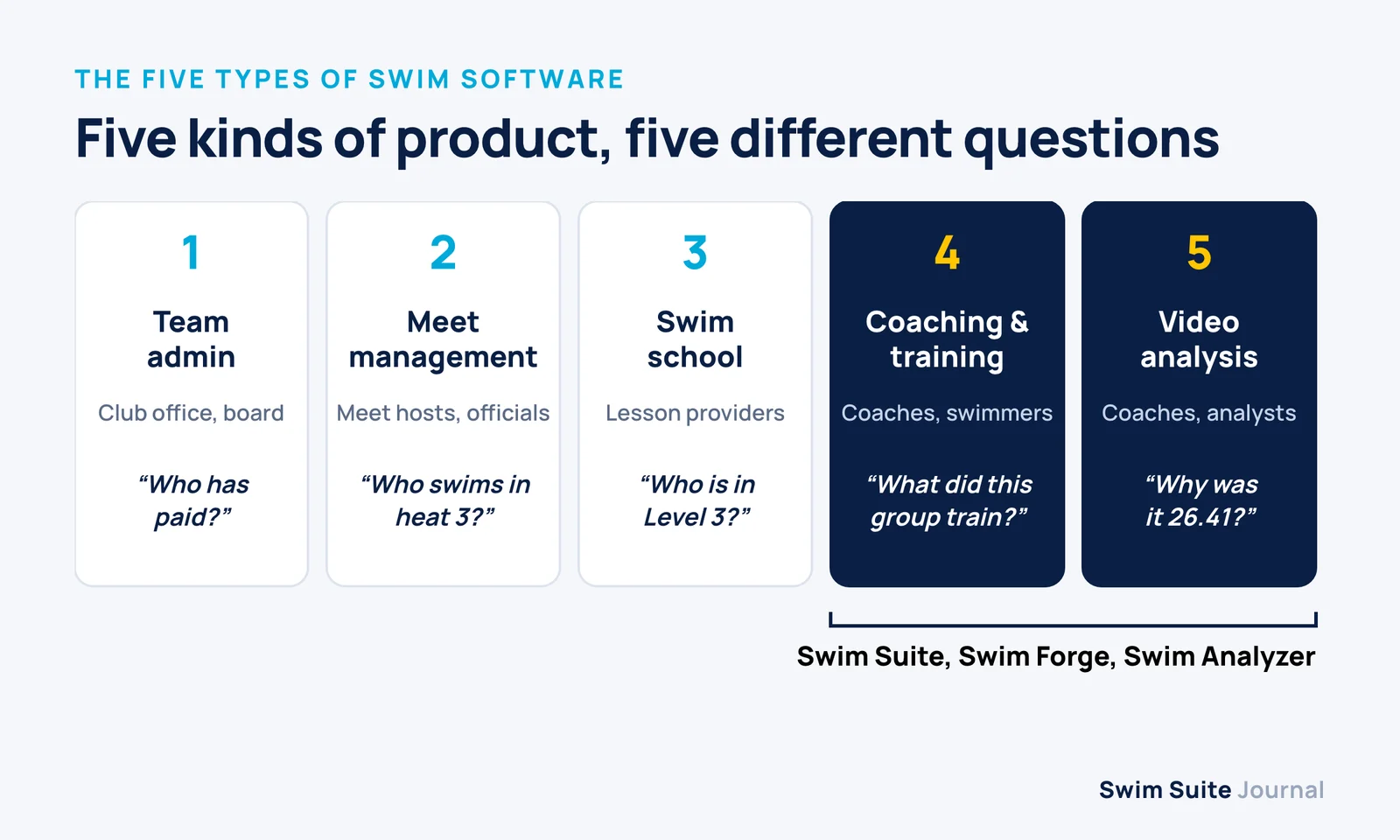
Swim software is any program built around the specific work of running swimming: teams, meets, lessons, training and technique. The phrase covers five quite different kinds of product, and most clubs end up needing two or three of them rather than one that claims to do everything.
What separates it from general sports software is the content. Swimming is organised in distances, strokes, intervals, heats, lanes, qualifying times and splits. A system that does not understand those leaves the coach translating everything back into spreadsheets, which is usually the problem the club was trying to escape.
The Five Types of Swim Software
Almost every product sits firmly in one of these five categories, even when its marketing reaches into a second. Knowing which one you are looking at saves most of the time spent comparing feature lists.
| Type | Built for | Typical features | Examples |
|---|---|---|---|
| Team administration | Club office, board, parents | Registration, membership fees, invoicing, team website, volunteer sign-ups | SwimTopia, federation and general sports-club platforms |
| Meet management | Meet hosts and officials | Entries, seeding, heat sheets, timing-system integration, results | HY-TEK Meet Manager, Splash Meet Manager |
| Swim school | Lesson providers | Class booking, levels, billing, instructor schedules, parent updates | Jackrabbit, iClassPro |
| Coaching and training | Coaches and swimmers | Season planning, sessions, groups, attendance, training load, swimmer app | Swim Suite, Swim Forge |
| Video and stroke analysis | Coaches and performance staff | Slow-motion review, stroke rate, stroke length, starts, turns, race splits | Swim Analyzer, Dartfish |
The categories rarely overlap well. A meet manager is excellent at seeding a gala with hundreds of entries and has nothing to say about Tuesday's main set. A swim school system knows exactly who has paid for the Level 3 class and nothing about a fourteen-year-old's taper. That is why a search for swim software returns such different products: they answer different questions for different people.
Which Swim Software Does Your Club Need?
The kind of club you run decides what you need, far more than its size does. Find the row closest to your club and start there.
| Club type | Usually needs | Can usually skip |
|---|---|---|
| Summer or recreational team | Team administration with meet entries | Detailed season planning and video analysis |
| Swim school | Swim school booking and billing | Meet management and training-load tracking |
| Competitive age-group club | Coaching and training software, plus the federation's system for entries and results | A second membership system if the federation already provides one |
| Performance or national-level squad | Coaching and training software, and video analysis | Swim school tools |
| Club or district hosting meets | Meet management | Nothing else for the meet itself |
Take a typical European competitive club. Entries and results already run through the national federation or a meet manager, and membership fees go through a sports-club platform or the bank. What is left is the coaching side: season plans in one spreadsheet per coach, attendance on paper, and training history that disappears when a coach leaves. For that club the gap is not "swim software" in general but the coaching layer specifically, and that is where most of the week's work happens.
What Coaching Software Should Do
Coaching software is the category clubs most often go without, so it is worth being specific about what a good one does. Four things matter more than the length of the feature list.
Hold the Plan, Not Just the Calendar
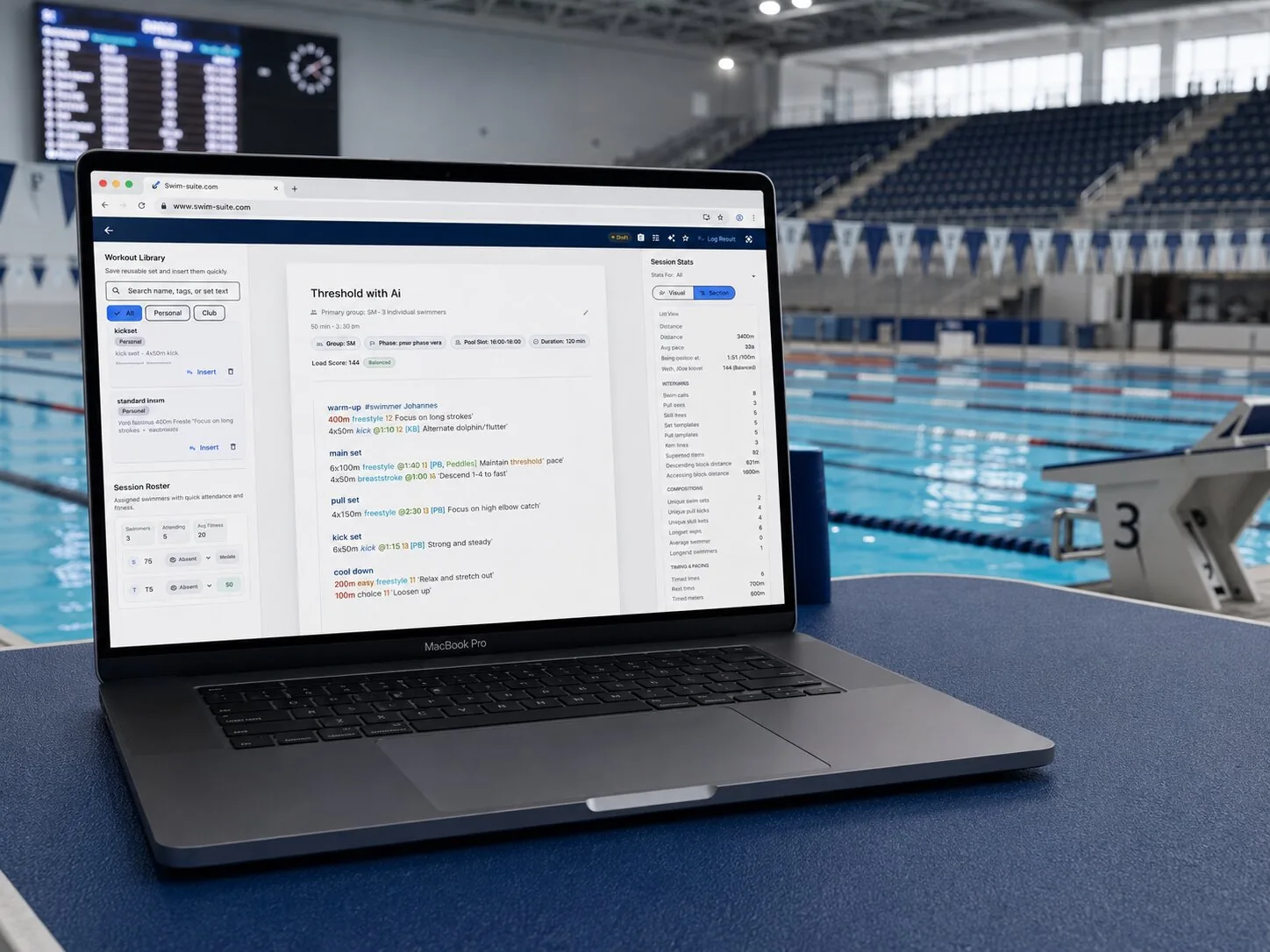
A calendar says when training happens. Coaching software should also hold what the training is: the season plan from macro cycles down to training blocks, the weekly load, and the sets themselves with their distances, strokes, intervals and intensities.
Compare Planned and Completed Training
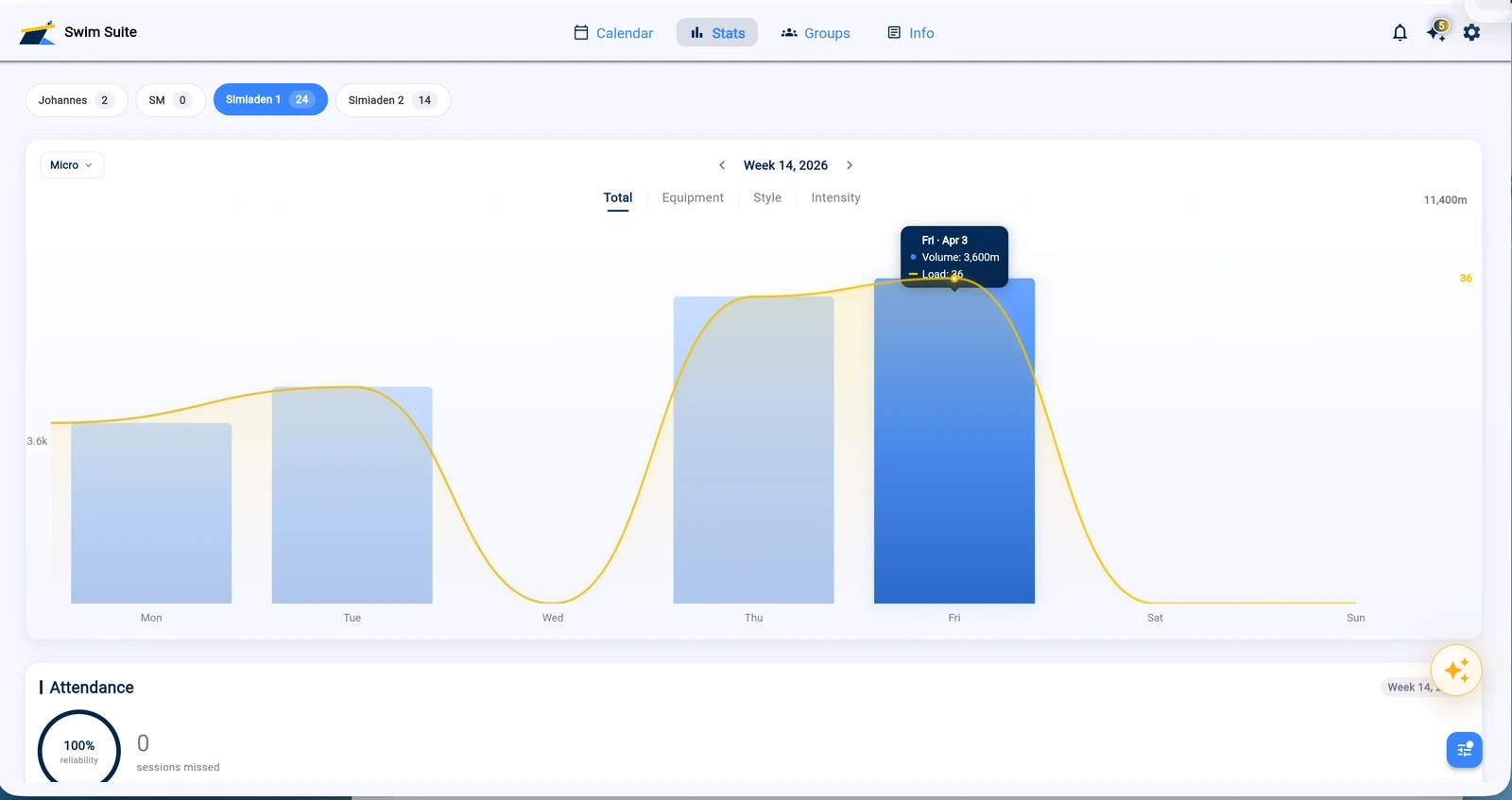
Illness, missed sessions and changed sets mean the plan is never exactly what each swimmer did. Good software records completed training against the plan, so the coach sees each swimmer's real weekly load instead of assuming the plan is the truth.
Give Swimmers Their Own View
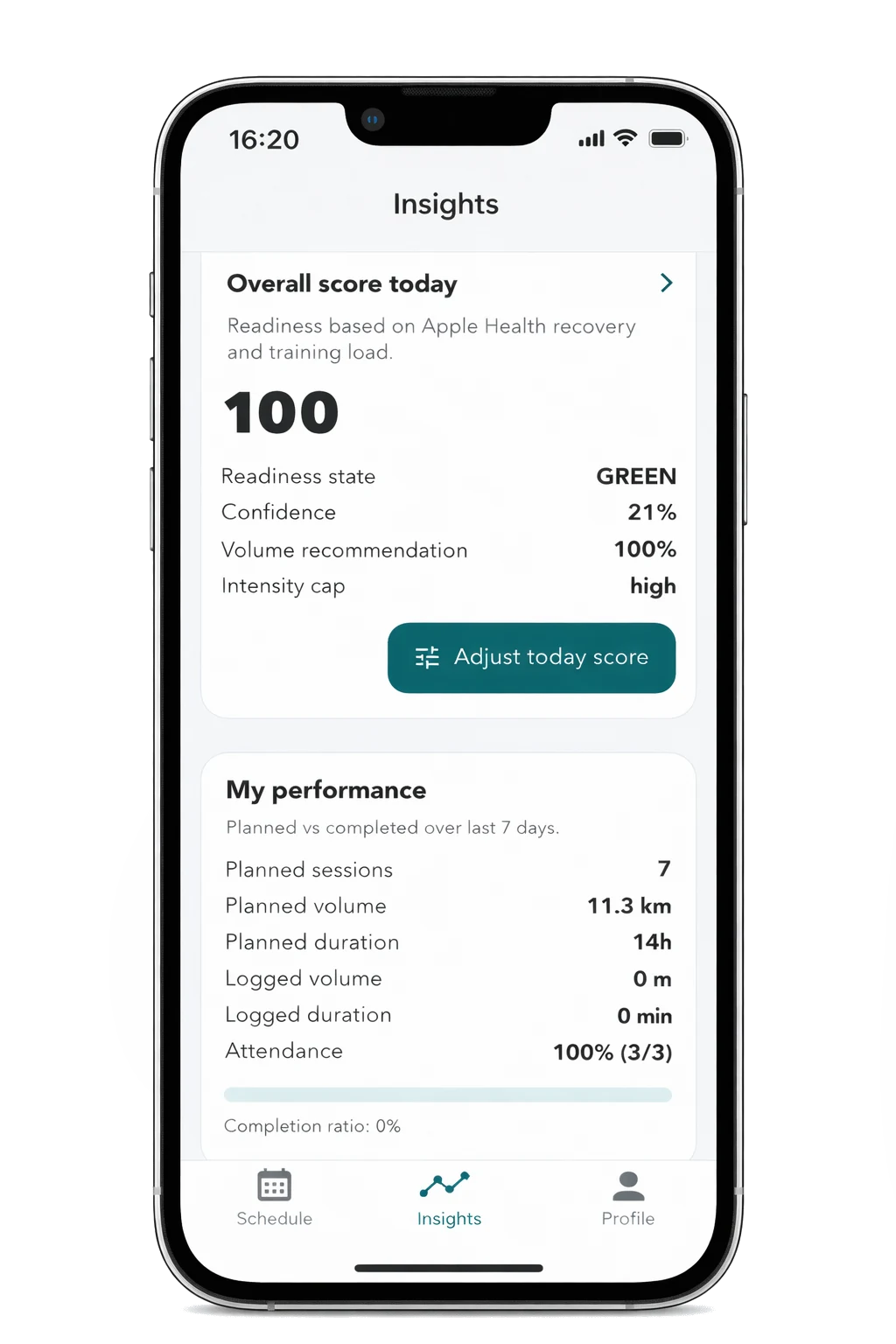
When swimmers cannot see their sessions and targets, the coach becomes the relay for every question. A swimmer app tied to the coach's plan removes that, and sends back how the training actually felt so the next week can be adjusted.
Connect Technique to Training
Race times alone hide how a swim was produced. Two swims with the same time can come from different stroke rates, a slower turn or a better start. When video measurements sit next to the training history, a coach can see whether the work in the pool is changing the swim. Our guide on how to calculate stroke length shows one such measurement worked through.
How to Choose Swim Software
Choose swim software by naming the job that currently fails, then testing candidates on that job with your own club's data. A short process works better than a long comparison sheet:
- Write down where each kind of information lives today: plans, attendance, entries, results, fees and video.
- Mark the places where it breaks, such as duplicated spreadsheets, lost history or questions only one coach can answer.
- Match each broken place to one of the five types above. That is what you are shopping for.
- Check that the candidate works alongside what you keep, such as the federation's entry system or your membership platform.
- Trial it with one real group for two weeks, not with a vendor's demo club.
- Ask whether you can export your data, and price the plan for next season's size rather than this one.
For a competitive club choosing the coaching layer, our guide to swim club management software goes through the questions to ask in a demo in more detail.
How Much Does Swim Software Cost?
Swim software is usually priced by size, but the five types count size differently: per member, per swimmer, per coach, per meet, as a one-off licence, or as a fee on payments. Compare the total yearly cost at the size you expect next season, because the models diverge quickly as a club grows.
As a worked example, Swim Suite's coaching plans run from €40 a month for one coach and ten swimmers to €140 a month for up to 20 coaches and 200 swimmers. A club with 120 swimmers and five coaches lands on the €140 plan, which works out at about €1.17 per swimmer per month. Every plan includes the coach and swimmer apps and a 14-day free trial with no card. The full breakdown is on the pricing page.
Where Swim Suite Fits
Swim Suite is coaching and training software for competitive swimming clubs, with video analysis in the same club account. It covers the coaching and analysis rows of the table above:
- Swim Suite for season planning from macro cycles to a single set, groups and roles, attendance compared against the plan, and competitions with qualifying times
- Swim Forge, the swimmer app, with the day's session, the coach's targets, dryland work and reflections that reach the coach
- Swim Analyzer for phone video, measuring stroke rate, stroke length, starts and turns on the pool deck
Swim Suite does not run meets, collect membership fees or sell swim-school lessons. Most clubs keep their federation's entry system and their membership platform for those, and use Swim Suite for the sport itself.
FAQ
These are the questions coaches, club boards and swim school owners ask most often when they first start comparing swim software, each one answered briefly and plainly below.
What is the best swim software?
The best swim software is the one built for the job your club needs done. A meet host needs a meet manager, a swim school needs booking and billing, and a competitive club usually needs coaching software. No single product leads all five categories.
What software do swim coaches use?
Most swim coaches use a mix of tools: the federation's system or a meet manager for entries and results, spreadsheets or a coaching platform for training plans, and a phone for video. Coaching software replaces the spreadsheets and connects the other parts to each swimmer.
Do swim teams and swim schools need different software?
Usually, yes. A swim school's core record is the customer and the class they paid for, while a team's core record is the swimmer and their training. Software built around one tends to be thin on the other.
Can one system replace all my swim software?
Rarely, and it is seldom worth forcing. Meet management and fee collection are often fixed by the federation or the bank. The better goal is one system per job, with the coaching and analysis data in one place so each swimmer's season can be followed.