
Moving a Swim Club Off Spreadsheets: A Four-Week Plan
How to move a swimming club from spreadsheets to club software in four weeks: what to migrate, how to clean the roster, and why to start with one group.
Also in Svenska · Deutsch · Español · Français · Italiano · Nederlands · Norsk · Dansk · Suomi
When Is It Time to Leave Spreadsheets?
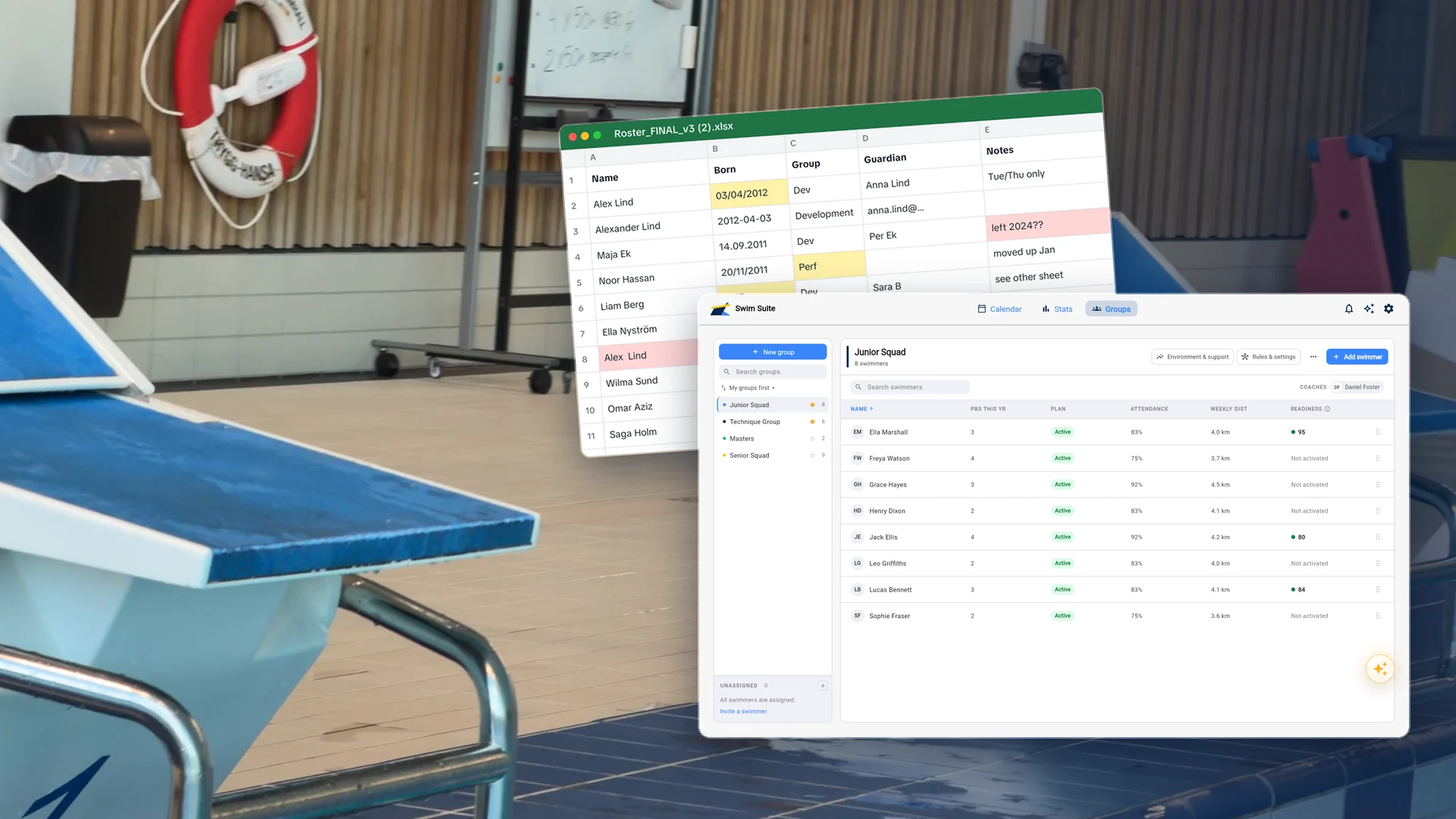
It is time to move a swimming club off spreadsheets when the same swimmer appears in more than one sheet and nobody is sure which copy is right. Until then a spreadsheet is cheap, flexible and good enough. After that, every change has to be made several times, and the club pays for it in mistakes.
The signs are usually obvious in hindsight. A swimmer moves group and still appears on the old attendance sheet in March. A parent follows a schedule that changed two weeks ago. A new coach asks for last season's training and is handed four files with slightly different rosters. A head coach cannot answer how much the performance group actually trained in October without an evening of copying and pasting.
Step One: Take Inventory of What You Have
Before choosing or setting up anything, list every spreadsheet, document and chat the club uses to run its swimming. Most clubs find more than they expected, and the list tells you what the new system has to replace.
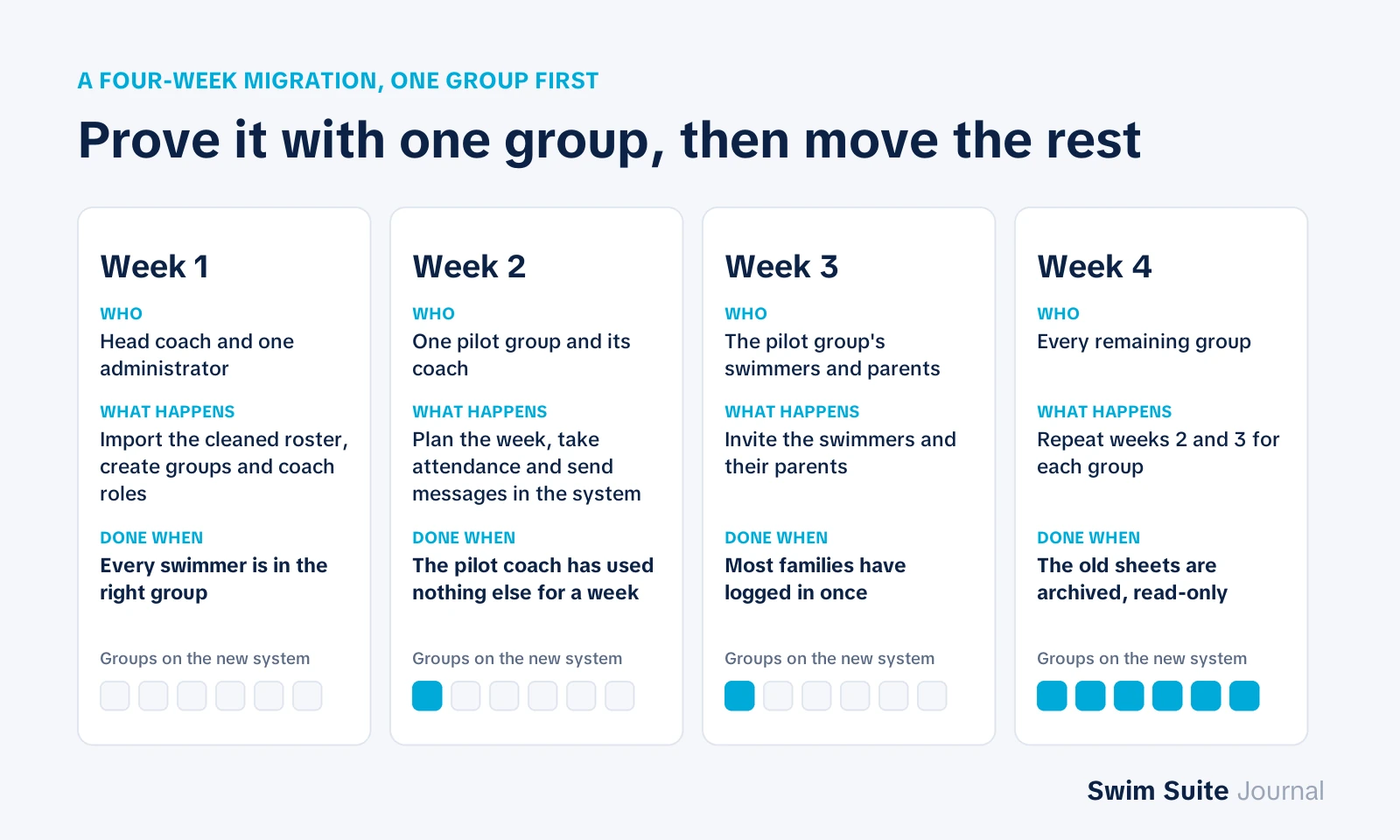
| Typical file | What it holds | Where it goes in club software |
|---|---|---|
| Member list | Names, birth dates, guardians, contact details | The swimmer roster, imported once |
| Group lists | Who trains in which group | Groups, with swimmers assigned |
| Attendance sheets | One per group, one tab per month | Attendance recorded against each session |
| Training plan documents | Season outline, weekly sets | The season plan and its sessions |
| Competition entries | Who swims which meet and event | Competitions placed in the season plan |
| Qualifying times | Times needed for championships | Qualifying times per group and swimmer |
| Group chats | Schedule changes, reminders, documents | Club and group messaging |
Two things usually stay where they are. Membership fees and invoicing often belong to the federation's or the club's accounting system. And historical results normally live in the federation's results database, so there is no need to retype them.
Step Two: Clean the Roster Before You Import It
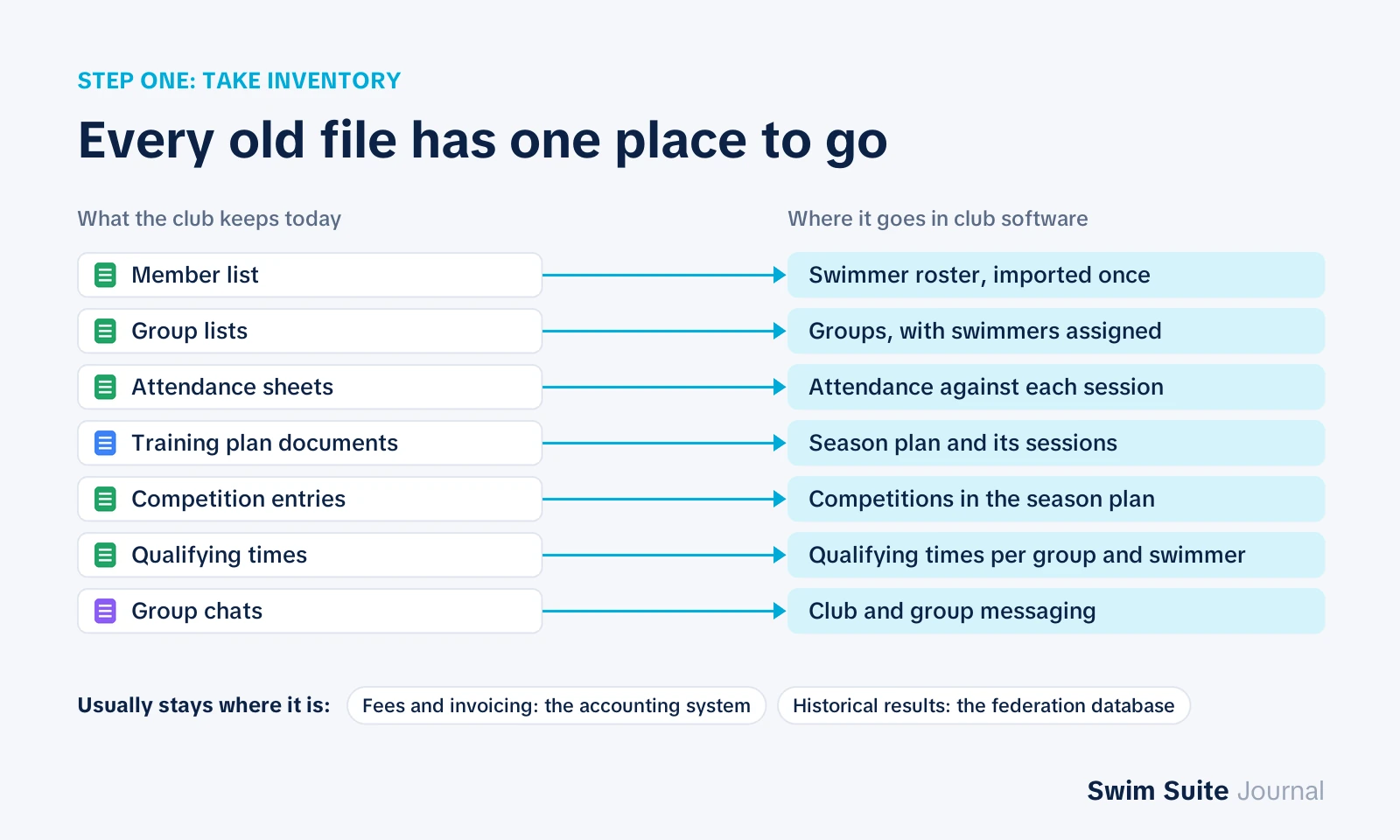
Every club system imports a roster from CSV or Excel, and every import inherits the mess in the file. An hour of cleaning saves a season of duplicates.
- One row per swimmer. Merge the swimmer who appears as "Alex Lind" in one sheet and "Alexander Lind" in another.
- One column per field. First name, last name, birth date, group, guardian email. No "notes" column holding three facts.
- One date format. Birth dates as YYYY-MM-DD, so 03/04/2012 is not read as either March or April depending on who opens the file.
- Current swimmers only. Swimmers who left two seasons ago belong in an archive, not in the first import.
- Guardian contacts checked. Parent accounts are created from these addresses, so a wrong one means a family that never gets invited.
A typical club of 120 swimmers ends up with a file of 120 rows and six to eight columns. If yours has 180 rows, the extra 60 are duplicates and leavers, and they are worth removing now.
A Four-Week Migration Plan
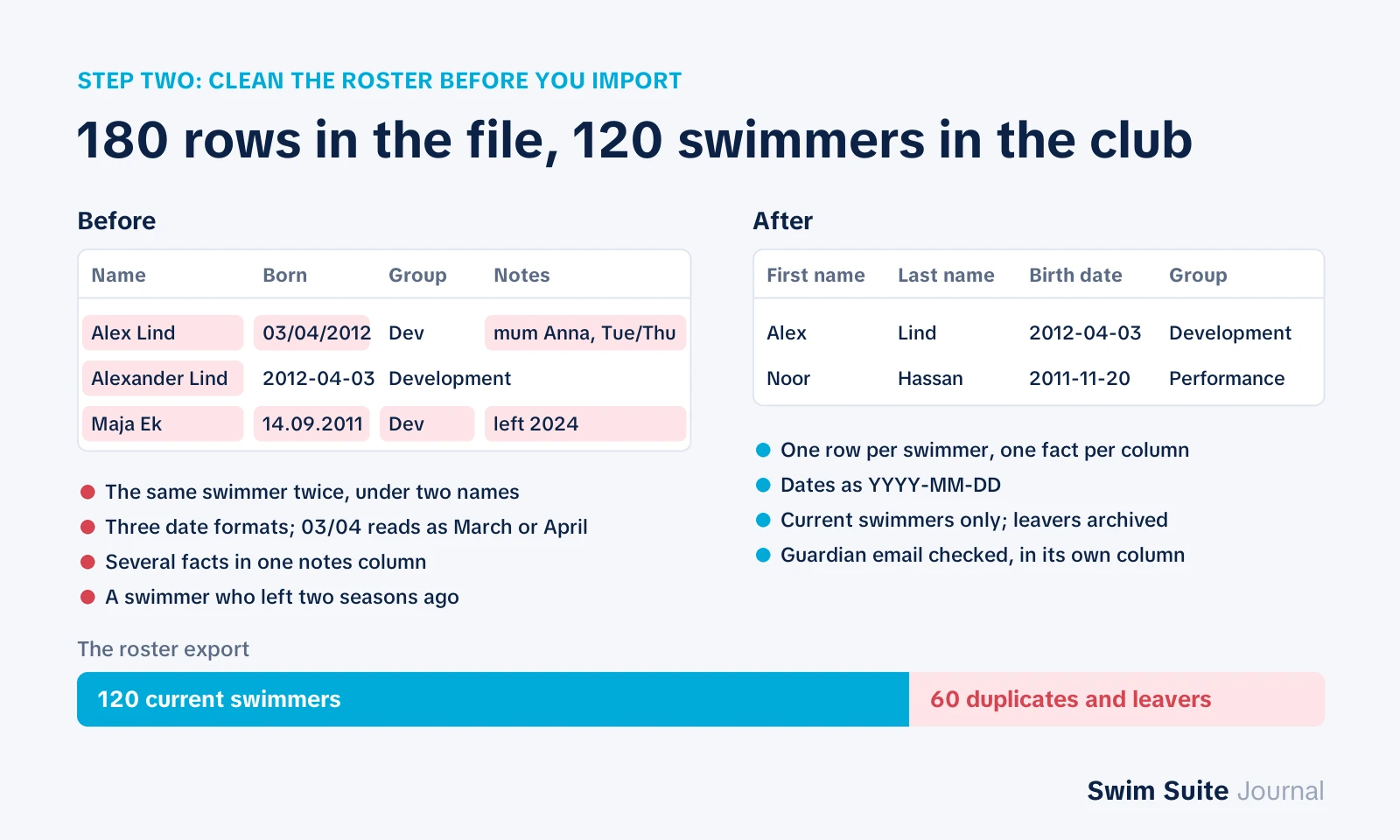
Moving the whole club on a Monday is how migrations fail. Move one group first, prove it works, then bring the others across. Four weeks is enough for most clubs.
| Week | Who | What happens | Done when |
|---|---|---|---|
| 1 | Head coach, one administrator | Import the cleaned roster, create groups and coach roles | Every swimmer is in the right group |
| 2 | One pilot group and its coach | Plan the week, take attendance, send messages through the system | The pilot coach has used nothing else for a week |
| 3 | Pilot group's parents and swimmers | Invite the swimmers and their parents | Most families have logged in once |
| 4 | Remaining groups | Repeat weeks 2 and 3 for every group | The old sheets are archived, read-only |
Choose the pilot group carefully. The best one has a coach who is curious rather than reluctant and a size that is big enough to be real — a group of fifteen to twenty-five swimmers tests the system without overwhelming anyone.
What Not to Migrate
Not everything in the old files deserves a place in the new system. Old training plans are useful as reference but rarely worth importing set by set; keep them as documents and build the new season fresh. Old attendance sheets have the same value as reference and almost none as data, because they were never recorded against a plan. And any column nobody can explain is a column nobody needs.
The point of the move is a clean start with one source of truth, not a perfect copy of the old mess in a new place.
Why Migrations Fail
Clubs rarely fail to move off spreadsheets because of the software. They fail for reasons that are easy to see coming.
- The old sheets stay open. If the spreadsheet is still editable, someone will keep using it, and the club now has two truths instead of one. Archive it read-only on the day each group moves.
- Nobody owns the rollout. One named person, usually the head coach, decides when each group moves and answers the coaches' questions.
- Parents are invited too early. A parent who logs in to an empty schedule does not log in again. Invite families once the coach has a week of plans in the system.
- Everything at once. A whole club moving in the same week turns every small problem into a club-wide one.
Choosing the System to Move To
The migration plan above works for any swimming club software that holds groups, plans, attendance and messaging in one place. If the club is not sure that is the kind of software it needs, the guide to the five types of swim software sets out what each kind does and who it is built for. What to look for when choosing one, and the questions to ask in a trial, are covered in how to choose swim club management software.
Swim Suite imports a roster from CSV or Excel, and keeps groups, the season plan, attendance, competitions and club messaging together, with a swimmer app and a parent view on the same club account. There is a 14-day free trial with no card required, which is long enough to run weeks one and two of the plan with your real pilot group. See the plans and prices or how the season planning and team management side works.
FAQ
Brief answers to what club boards and head coaches ask most often when they are deciding whether to make the move this season or wait until the next one.
How long does it take to move a swim club off spreadsheets?
Most clubs can move in about four weeks: one week to import and set up, one week piloting with a single group, and two weeks bringing the other groups and families across. The data takes an afternoon; changing habits takes the rest.
When in the season should a club switch?
The best time is the start of a season or right after a championship break, when the season plan is being written anyway. Switching mid-block forces coaches to rebuild a plan they are halfway through.
Can we keep using spreadsheets for some things?
Yes, for anything the new system does not cover, such as the club's accounts. The rule is that each piece of information lives in exactly one place, so a swimmer's group, schedule and attendance should never be kept in a spreadsheet once they are in the system.